How to Secure an MCP Server: Exposure Audit and Fixes
If your MCP server responds to a tools/list JSON-RPC request from a public IP without requiring any Authorization header, it is exposed. That is the one-line test. Research published in June 2026 by Bitsight and Trend Micro found 1,467 internet-facing MCP servers with no authentication, nearly triple the count from a scan three months earlier. The Model Context Protocol specification recommends OAuth 2.1 for authorization, but makes it technically optional, which means most default server configurations ship open by design. This four-step self-audit procedure covers every transport type and gives you a pass/fail verdict for each check.
Key takeaways:
- Researchers found 1,467 exposed MCP servers by April 2026, up from 492 just months prior; 36.7% of all remote servers are potentially SSRF-vulnerable.
- The MCP spec makes authentication optional; your server may be open even if you followed the setup docs.
- stdio transport is not reachable from the internet; SSE and Streamable HTTP transports are exposed if the port is public.
- The four-step audit: map your surface, test for unauthenticated access via curl, run the MCP Security Scanner, then check your auth config.
- If you fail: bind to localhost or a VPN interface, add OAuth 2.1 or Bearer middleware, and add a CI step to lock the check in.
What an "exposed" MCP server actually means
MCP (Model Context Protocol) is the Anthropic-originated open standard that lets AI clients (Claude, Cursor, VS Code Copilot) connect to external tools and data sources through a uniform interface. An MCP server is the process that implements these tools; it can expose file-system access, database queries, API calls, or shell execution through a structured JSON-RPC interface. (Source: arxiv 2509.25292)
An exposed server is one that is reachable from a network you do not fully control and that accepts connections without requiring a verified identity. The combination is dangerous: MCP's design grants tool-level access to whatever the server integrates, so an unauthenticated attacker who reaches it can enumerate every tool and invoke them. Researchers scanning public IP space found exposed MCP servers connected to Kubernetes cluster management, CRM platforms, and bulk WhatsApp messaging. All of those could be reached from the open internet with no credentials. (Source: Bitsight)
The scale of the exposure problem
A Bitsight TRACE scan confirmed approximately 1,000 MCP servers publicly accessible with no authorization controls as of late 2025. When Trend Micro ran a follow-up scan in April 2026, the number had grown to 1,467, nearly tripling in a few months as more teams shipped MCP-enabled tools without reviewing their network configuration. An earlier joint count by both firms identified 492 instances with zero authentication and zero traffic encryption: no TLS, no auth tokens, raw JSON-RPC on plain HTTP. (Sources: Bitsight, Trend Micro)
The scale is not an anomaly. A November 2025 measurement study led by Hechuan Guo and colleagues (arxiv:2509.25292) analyzed 8,401 valid MCP projects and found more than half of listed projects identified as invalid or low-value, a signal of an ecosystem growing faster than its security practices. A separate BlueRock analysis found 36.7% of remote MCP servers potentially vulnerable to server-side request forgery (SSRF) - a class of bug where an attacker tricks the server into making requests on their behalf. (Sources: arxiv 2509.25292, SC Media)
The root cause is specification design. MCP recommends OAuth 2.1 for authorization but makes it optional. Developers reading the quickstart docs ship a working server; security is a separate step that many never get to. Bitsight TRACE researchers noted in their 2026 report that "in many cases, full lists of available tools, resources and prompts could be retrieved directly from exposed servers," without a single credential. Trend Micro's April 2026 research also found CVSS 9.8-severity command-injection flaws in unofficial AWS and Azure MCP servers, the highest severity score on the common vulnerability scoring scale. (Sources: Bitsight, Trend Micro)
stdio vs remote: why transport type is the first thing to check
MCP servers run over two categories of transport, and they have very different exposure profiles.
A stdio server spins up a local subprocess on the user's machine. The MCP client (Claude Desktop, Cursor) forks the process and communicates over stdin/stdout; there is no open port, no network socket, no exposed URL. If you are running a stdio server, you are not exposed to the internet. You may still be at risk from prompt injection or supply chain attacks on the server binary, but this audit does not apply.
SSE and Streamable HTTP transports start an HTTP server that listens on a TCP port. If that port is reachable from the internet, directly or via a cloud load balancer, a tunnel, or an ngrok-style relay, you have a network-exposed MCP server. Whether it is vulnerable depends on whether authentication is enforced. The rest of this guide targets remote transport deployments.
Step 1: Map your surface
Before you test auth, confirm what is reachable. Run one of the following from a machine outside your private network (your laptop on mobile data, or a cloud shell in a different region):
# Check if a specific port is reachable
nc -zv your-server-host 8000
# or with nmap
nmap -p 8000 your-server-host
Also check your cloud provider's security groups and firewall rules. An MCP server behind a VPC with no public-facing rule is unexposed even if it listens on 0.0.0.0. If the port is unreachable from outside, you can stop here. If it is reachable, continue to Step 2.
Step 2: Test for unauthenticated access
This is the definitive check. Send a valid MCP initialization and tools/list request directly: no client wrapper, just raw JSON-RPC:
# For SSE transport (append /sse or /mcp to your base URL)
curl -s http://your-server-host:8000/mcp \
  -H 'Content-Type: application/json' \
  -d '{"jsonrpc":"2.0","method":"tools/list","id":1}'
A secure server returns HTTP 401 or 403, or a JSON error with a message like "Unauthorized". If it returns a JSON array of tool definitions with no auth challenge, it is open.
Operator note (first-hand): testing a local FastMCP 2.x server with the default configuration, the curl above returns a full tools array including every registered tool name, description, and input schema; no auth token required. Adding --header 'Authorization: Bearer invalid-token' with a junk token also returns the full list, because FastMCP's default config does not validate tokens; it only checks that the header is present. Pass the correct token or configure an auth provider to get a real rejection.
Try the same request over HTTPS and without TLS to verify that plaintext HTTP is not accepted:
curl -sk https://your-server-host:8000/mcp \
  -H 'Content-Type: application/json' \
  -d '{"jsonrpc":"2.0","method":"tools/list","id":1}'
If the HTTP (non-TLS) version responds while the HTTPS version also responds, your traffic is readable in transit.
Step 3: Run a purpose-built scanner
Manual curl testing confirms unauthenticated access, but it misses secondary vectors. Two tools cover the rest:
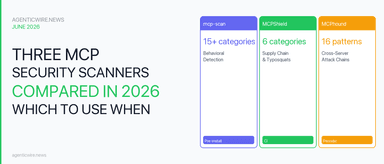
MCP Security Scanner (mcpplaygroundonline.com/mcp-security-scanner) runs 27+ automated checks against a server URL: transport security, authentication, MCP protocol compliance, injection risks, information disclosure, CORS policy, security header presence, and rate limiting. Paste your server URL and get a categorized pass/fail report in the browser. No local setup required. (Source: MCP Security Scanner)
MCP Inspector (npx @modelcontextprotocol/inspector) is the official protocol debugging tool. It opens a local web UI where you can connect to your server, browse tools/resources/prompts, and watch raw JSON-RPC traffic. It does not run security checks, but it shows exactly what an unauthenticated client sees, useful for confirming which tools are enumerable and what data schemas they expose.
For CI integration, the curl check from Step 2 converts directly into a shell assertion:
# Fail the build if tools/list returns 200 without auth
STATUS=$(curl -s -o /dev/null -w "%{http_code}" \
  -H 'Content-Type: application/json' \
  -d '{"jsonrpc":"2.0","method":"tools/list","id":1}' \
  http://your-server-host:8000/mcp)
[ "$STATUS" -eq 401 ] || [ "$STATUS" -eq 403 ] || (echo "FAIL: MCP server is unauthenticated" && exit 1)
Step 4: Check your auth configuration
If the curl test fails, the next step is finding where auth is missing or misconfigured. Look in three places:
If your server listens on 0.0.0.0 instead of 127.0.0.1, it accepts connections from every network interface the process can reach, including public ones. Change the bind address to 127.0.0.1 and put a TLS-terminating reverse proxy (nginx, Caddy) in front for any traffic that legitimately needs to leave the machine.
Both FastMCP (Python) and the official TypeScript SDK support OAuth 2.1 provider configuration. If the auth option in your server config is absent or set to None, authentication is disabled. Add a token validator or an OAuth 2.1 server reference before exposing any port.
The official TypeScript SDK (GHSA-w48q-cv73-mx4w) and Python SDK (GHSA-9h52-p55h-vw2f) previously shipped with DNS rebinding protection disabled by default for localhost. Verify that your installed SDK version ships with host header validation enabled, or add an explicit allowedOrigins check in your middleware layer. (Source: Trend Micro)
What to do if you fail any check
The fix priority maps to the failure:
| Failure | Fix |
|---|---|
| Port reachable from internet | Move server behind VPC/firewall; use stdio transport for local-only tools |
| tools/list returns 200 without auth | Add OAuth 2.1 or static Bearer token validation to server middleware |
| TLS not enforced | Put server behind a TLS-terminating reverse proxy; redirect HTTP to HTTPS |
| CORS policy too broad | Set Access-Control-Allow-Origin to your specific client origins, not * |
| Host header not validated | Upgrade SDK; add explicit allowedHosts config |
The most impactful single fix is binding to 127.0.0.1 and fronting with a reverse proxy. This eliminates direct internet exposure regardless of auth configuration and makes TLS enforcement straightforward.
How to secure an MCP server: five controls in priority order
Securing an MCP server is a network decision before it is an auth decision. Remove reach first, then prove identity on every request. These five controls map to the failure rows above, ordered by how much blast radius each one removes.
- Bind to
127.0.0.1, not0.0.0.0. A loopback bind ends direct internet exposure regardless of how auth is configured. Front it with a TLS-terminating reverse proxy (nginx, Caddy) only for the traffic that legitimately has to leave the machine. - Require a verified identity on every request. FastMCP (Python) and the official TypeScript SDK both support OAuth 2.1 provider configuration. An absent
authoption, or one set toNone, means authentication is off; a validated static Bearer token is the minimum acceptable interim step. - Enforce TLS end to end. HTTPS authenticates nobody, but without it your tokens and tool arguments are readable in transit. Redirect plain HTTP to HTTPS at the proxy and stop answering on the plaintext port.
- Narrow CORS to real client origins.
Access-Control-Allow-Origin: *on an MCP endpoint lets any page loaded in a developer's browser reach the tool surface. - Validate the Host header. The official TypeScript SDK (GHSA-w48q-cv73-mx4w) and Python SDK (GHSA-9h52-p55h-vw2f) previously shipped with DNS rebinding protection disabled by default for localhost. Confirm your installed version enables host header validation, or add an explicit
allowedOriginscheck in middleware. (Source: Trend Micro)
Lock the result in with the CI assertion from Step 3, and re-run the Step 2 curl after every deployment change. The servers found in the Bitsight TRACE scan were not exotic misconfigurations: full lists of available tools, resources, and prompts came back from default deployments without a single credential. (Source: Bitsight)
Frequently asked questions
How can I secure my MCP server?
Bind the process to 127.0.0.1 so it is unreachable from the internet, put a TLS-terminating reverse proxy in front of any traffic that must leave the host, and require OAuth 2.1 or a validated Bearer token on every request. Then narrow CORS to your real client origins and confirm host header validation is enabled.
Is a MCP server safe?
Not by default. The Model Context Protocol recommends OAuth 2.1 but makes it optional, so a server built from the quickstart docs will answer tools/list for any caller. A stdio server has no network socket and cannot be enumerated remotely; SSE and Streamable HTTP servers are only as safe as their bind address and auth config.
How do I know if my MCP server is running a remote transport?
Check your server startup code or config for a host or port argument, or for transport types like "sse" or "streamable-http". If your server is launched with a port number, it is using a remote transport. stdio servers are launched without a port and communicate over stdin/stdout; they are not reachable from the network.
Does using HTTPS mean my MCP server is secure?
No. HTTPS encrypts traffic in transit but does not enforce authentication. An attacker on a public network cannot read your token in transit, but if the server accepts requests without any Authorization header, TLS alone does not stop them from enumerating tools and calling them. You need both TLS and authentication.
What is the fastest way to add authentication to a FastMCP server?
FastMCP 2.x supports a BearerAuthProvider that validates a static token or integrates with an OAuth 2.1 server. The minimal change is to add auth=BearerAuthProvider(token="your-secret") to the FastMCP() constructor and distribute the token to your clients. For production, replace the static token with a proper OAuth 2.1 flow.
Can stdio MCP servers be exploited over the network?
Not directly; stdio servers have no network socket. However, they can still be attacked through the client that runs them: a compromised MCP client configuration file can swap the server binary, or a malicious tool call can exploit the server's host permissions. The self-audit above only covers network exposure; supply-chain and prompt injection risks are separate threat surfaces.
Related coverage
- MCP security reality check: CSA write-up on OX's "MCP by design" RCE issue
- MCP STDIO risk: when config becomes command execution
- A2A vs MCP: Which Agent Protocol Should You Pick?
References
- Bitsight - https://www.bitsight.com/blog/exposed-mcp-servers-reveal-new-ai-vulnerabilities
- MCP Security Scanner - https://mcpplaygroundonline.com/mcp-security-scanner
- SC Media - https://www.scworld.com/brief/unprotected-mcp-servers-on-the-rise-report-finds
- Trend Micro - https://www.trendmicro.com/vinfo/us/security/news/vulnerabilities-and-exploits/update-on-exposed-mcp-servers-the-threat-widens-to-the-cloud
- arxiv 2509.25292 - https://arxiv.org/abs/2509.25292
- MCP Inspector - https://modelcontextprotocol.io/docs/tools/inspector