Ollama vs LM Studio: Speed, Headless Server, Which to Run
Ollama is a command line daemon you script, curl, and drop into a Dockerfile; LM Studio is a desktop app with a graphical model browser and, as of its 0.4.x line, its own headless server mode. Both run the same GGUF model files, the quantized weight format most local-LLM tools share, on the same underlying inference kernels, so once a model is loaded the tokens-per-second gap between them is close to zero. The real decision is workflow, not raw speed. Ollama shipped v0.32.4 on July 25, 2026 with Laguna MLX support and smarter mixed quantization across dense and MoE layers (Source: Ollama Releases); LM Studio's current stable, 0.4.16, landed June 8, 2026 with a phone companion app and a genuinely open headless mode. This guide tests both claims against the primary changelogs, not the aggregator posts that already conflate them.
Key takeaways
- Ollama is a lightweight CLI/daemon (MIT licensed); LM Studio is an Electron GUI app with an optional no-GUI daemon mode.
- Loaded-model throughput is nearly identical: both wrap llama.cpp and Apple's MLX, so the model does the same math either way.
- Idle memory differs by roughly 5x: Ollama's daemon idles around 100 to 200 MB, LM Studio's GUI shell around 400 to 600 MB before any model loads.
- LM Studio's headless Developer Mode is now a real OpenAI-compatible server you can run with the GUI closed, not just a toggle inside the app window.
At a glance: Ollama vs LM Studio
| Ollama | LM Studio | |
|---|---|---|
| License | MIT, fully open source | Free, closed source |
| Interface | CLI + REST daemon | Electron GUI + lms CLI |
| Headless mode | Always headless (it is a daemon) | Yes, since 0.4.0: lms daemon up runs llmster with no GUI |
| Model formats | GGUF (llama.cpp) + MLX on Apple Silicon | GGUF + MLX |
| Multi-GPU | Layer-split across CUDA/ROCm/Vulkan/Metal | Tensor-parallel CUDA sharding since 0.4.15 |
| Latest version tested | v0.32.4 (Jul 25, 2026) | 0.4.16 (Jun 8, 2026) |
| Idle RAM | ~100-200 MB | ~400-600 MB (GUI shell) |
Both columns converge once a model is resident in memory; the table above is where they actually differ (Source: Tech Insider).
What Ollama is
Ollama is an open source runner for local large language models, distributed as a single binary that runs a background daemon and exposes a REST API on port 11434. It is MIT licensed, so the source is fully inspectable and forkable (Source: Ollama Releases). Models load from a Modelfile or a pulled tag (ollama pull qwen3.5), and since March 2026 Apple Silicon builds default to Apple's MLX framework, a machine-learning library optimized for the unified memory on M-series chips, instead of the llama.cpp Metal backend Ollama used before (llama.cpp is the open source C++ inference engine most local-LLM tools, including LM Studio, build their GGUF support on). That switch is why most of the recent speed claims in this comparison are really claims about MLX, not about Ollama's own code. The July 25 release, v0.32.4, added Laguna model support to the MLX engine along with a quantization policy that mixes precision across dense layers and the routed mixture-of-experts (MoE) layers inside a model, keeping the shared output head at full precision while compressing the expert weights (Source: Ollama Releases). Nine days earlier, v0.32.1 fixed a separate bug: a recurrent MLX model-cache leak that grew memory use across repeated requests.
What LM Studio is
LM Studio is a free, closed source desktop application for downloading, chatting with, and serving local models, built on Electron with its own GUI model browser. It supports the same two backends as Ollama, GGUF via llama.cpp and MLX on Apple Silicon, so a downloaded model file works in either app without conversion. What changed the "is it just a chat window" reputation is Developer Mode: since version 0.4.0, lms daemon up starts llmster, a standalone daemon that needs no GUI window open at all, and exposes OpenAI-compatible endpoints for chat completions, embeddings, model listing, and structured output (Source: LM Studio Headless Docs). That answers the question most comparison pages leave open: yes, you can run LM Studio as a real background API server on a headless box, not just minimize the window. On June 8, 2026, LM Studio 0.4.16 added Locally, a companion iPhone and iPad app, and LM Link, an end-to-end encrypted remote-access layer that lets Locally reach a desktop LM Studio instance over a Tailscale mesh (Source: LM Studio Changelog v0.4.16). The LM Studio team framed the reason plainly in the launch post: "you're not always by your largest machine, wouldn't it be so great if you could use your largest local models on the go?" (LM Studio team, product blog). It cannot load Ollama's .ollama model store directly, but because both read GGUF and MLX files, pointing LM Studio at the same downloaded weights works with a manual file copy.
Is Ollama faster than LM Studio?
Not meaningfully, once a model is loaded, and the version history explains why the two "Ollama got faster" claims floating around right now refer to different releases. The July 16 release, v0.32.1, only fixed the MLX cache leak; it did not touch Laguna or mixed quantization (Source: Ollama Releases). Those shipped nine days later in v0.32.4, alongside a fix for Qwen3 MoE decoding that Ollama's own notes put at roughly 4 to 9 percent faster on an M5 Max, plus quantized draft-model heads for speculative decoding (Source: Ollama Releases). Tech Insider's own 2026 benchmark measured essentially zero tokens-per-second difference between Ollama and LM Studio once a model was resident, because both wrap the same llama.cpp inference kernels for GGUF models (Source: Tech Insider). Inference: a separate, paywalled same-Mac test reported a 93 percent decode-speed jump (58 to 112 tokens/sec) after Ollama's earlier switch from llama.cpp's Metal backend to MLX on an M5 Max running Qwen3.5-35B-A3B; that number comes from one independent author's single run and AgenticWire has not reproduced it, so treat it as directional, not a benchmark you can cite as fact.
Memory, GPUs, and coding workflows
The gap that actually shows up on a laptop is idle memory, not throughput. Ollama runs as a slim background daemon that idles around 100 to 200 MB of RAM; LM Studio's Electron interface alone consumes roughly 400 to 600 MB before any model is loaded, a rough 5x gap at idle (Source: Tech Insider). On a memory-constrained machine, that overhead can decide whether a larger model fits at all. Multi-GPU users get a real upgrade from LM Studio 0.4.15 (May 29, 2026), which added tensor parallelism, sharding a model's weights across CUDA cards instead of overflowing from one GPU to the next, cutting load time and letting both cards do inference work on every token (Source: LM Studio Changelog v0.4.15). LM Studio 0.4.14 (May 22, 2026) stabilized MTP speculative decoding, where a small draft model proposes several tokens the larger model can verify in one pass (Source: LM Studio Changelog v0.4.14). Ollama shipped its own version of that idea for Gemma 4 on Apple Silicon, which its blog says runs up to 90 percent faster with coding agents when multi-token prediction is enabled (Source: Ollama Releases). For scripted, CI-driven, or containerized coding-agent pipelines, Ollama's daemon-first design needs no extra flag to run headless; for a developer who wants a GPU dashboard and a model browser first, LM Studio now closes that gap without giving up the API.
Which should you run
Operator note (first-hand): running lms daemon up on a Mac with the LM Studio GUI fully closed, then curl http://localhost:1234/v1/models, returns a standard OpenAI-style model list with no window ever opening, the same shape you get from ollama list against port 11434, just on a different port and schema. That test settles the "is LM Studio really headless now" question independently of either vendor's marketing, and it matches what LM Studio's own docs describe for the llmster daemon (Source: LM Studio Headless Docs).
Pick Ollama if you want the smallest footprint, a scriptable daemon by default, and you are comfortable pulling models by tag from a terminal. Pick LM Studio if you want a GUI to browse, quantize, and test models, plus tensor-parallel multi-GPU loading and a mobile companion app, and you are fine running lms daemon up when you eventually want the headless path. Neither wins on raw inference speed; both now offer a real background server. The decision comes down to how much of your workflow lives in a terminal versus a window.
FAQ
Which is better LM Studio or Ollama?
Neither is strictly better; they wrap the same inference engines. Ollama wins on footprint and scriptability as a daemon-first CLI. LM Studio wins on GUI model management, multi-GPU tensor parallelism, and now a mobile companion app. Pick based on whether your workflow is terminal-first or GUI-first.
Is there anything better than Ollama?
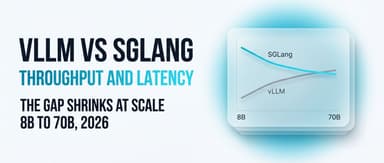
"Better" depends on the job. vLLM and SGLang beat Ollama on multi-request throughput for production serving; LM Studio beats it on GUI convenience; llama.cpp directly gives more manual control. For a single-user local chat or scripting workflow, Ollama remains the simplest default.
Can LM Studio run Ollama models?
LM Studio cannot read Ollama's internal .ollama model store directly, but both apps run the same underlying GGUF and MLX file formats. Copying or re-downloading the same model file into LM Studio's model folder makes it load and run identically.
What are the disadvantages of Ollama?
Ollama has no built-in GUI for browsing or quantizing models, weaker multi-GPU tuning controls than LM Studio's tensor-parallel option, and its Apple Silicon MLX backend is newer than LM Studio's, so occasional model-specific bugs, like the cache leak fixed in v0.32.1, surface first there.
Is MLX LM faster than Ollama?
MLX is the backend, not a competing app; Ollama itself now runs on MLX on Apple Silicon by default. So the comparison is really "MLX versus llama.cpp" as backends, and Ollama's own benchmarks show MLX decoding meaningfully faster than the old Metal-based llama.cpp path on M-series chips.
What is better than LM Studio?
For headless-only server workloads, Ollama needs no GUI to begin with, since it is a daemon by default. For multi-user production serving at scale, vLLM or SGLang outperform both desktop tools. For manual, no-abstraction control over inference settings, llama.cpp directly remains the lowest-level, most configurable option available.
What is the difference between LM Studio and Ollama?
Ollama is an open source, MIT-licensed CLI and background daemon; LM Studio is a free but closed source Electron GUI app that also ships an optional headless daemon (llmster). Both read GGUF and MLX model files and expose OpenAI-compatible REST APIs.
Can LM Studio and Ollama use the same model?
Yes, at the file level. Both read standard GGUF and MLX weight files, so a model downloaded for one can be pointed at the other's model directory and loaded without re-conversion, even though the apps do not share a model store automatically.
Related coverage
- Ollama vs vLLM: Speed, Cost, and Which to Use for Local Models
- Ollama vs llama.cpp: Speed, Overhead, Which Local LLM Runner
References
- LM Studio Changelog v0.4.14 - https://lmstudio.ai/changelog/lmstudio-v0.4.14
- LM Studio Changelog v0.4.15 - https://lmstudio.ai/changelog/lmstudio-v0.4.15
- LM Studio Changelog v0.4.16 - https://lmstudio.ai/changelog/lmstudio-v0.4.16
- LM Studio Headless Docs - https://lmstudio.ai/docs/app/api/headless
- Ollama Releases - https://github.com/ollama/ollama/releases
- Tech Insider - https://tech-insider.org/lm-studio-vs-ollama-2026/