MCP Security Scanners: mcp-scan vs MCPhound vs MCPShield
Three dedicated MCP security scanners shipped in 2026: mcp-scan (now snyk-agent-scan) from Invariant Labs and Snyk, MCPShield from the MCPShield project, and MCPhound v3 from Tayler. Each targets a different part of the MCP attack surface. The choice is not "pick one and stop" but "use each at the right stage." This guide maps what each tool catches, how to run it, and where it fits in a developer security workflow.
Key takeaways:
- mcp-scan detects 15+ behavioral risk categories including prompt injection, tool poisoning, tool shadowing, and hardcoded secrets.
- MCPShield focuses on supply chain: typosquat detection against 40+ known packages, CVE scanning, credential exposure, and transport security checks.
- MCPhound v3 uniquely maps cross-server attack chains using a directed graph of all reachable servers, and flags rug-pull attempts by hashing tool definitions between scans.
- VIPER-MCP audited 39,884 MCP server repositories and found 106 zero-day vulnerabilities; it is an academic framework, not a production CLI tool.
- Run MCPShield before installing any new server (pre-install), mcp-scan in CI (behavioral), and MCPhound periodically for cross-server attack path analysis.
Why dedicated MCP scanners exist
The MCP attack surface grew faster than security tooling in 2025. Researchers at Pengyu Sun et al. documented the scale in VIPER-MCP, a static analysis framework submitted to arXiv in May 2026: it audited 39,884 open-source MCP server repositories and found 106 confirmed zero-day vulnerabilities. Sixty-seven of those received CVE assignments. (Source: VIPER-MCP, arXiv May 2026)
VIPER-MCP itself is not a CLI tool builders can run. It uses anchor-query static analysis and feedback-driven prompt evolution techniques suited to academic research infrastructure, not a typical developer pipeline. The production scanner ecosystem, mcp-scan, MCPShield, and MCPhound, emerged to fill the gap between research findings and deployable tooling.
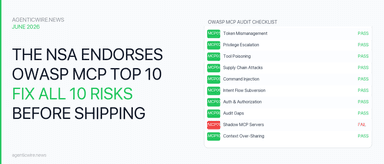
The risk categories these scanners target map directly to the OWASP MCP Top 10: tool poisoning, supply chain attacks, credential exposure, shadow servers, and cross-server attack chains. Each scanner approaches the problem from a different angle.
At a glance: capability comparison
| Tool | Install | What it detects | Cross-server | CI/CD | Requires API key |
|---|---|---|---|---|---|
| mcp-scan (Snyk) | uvx snyk-agent-scan@latest | 15+ categories: prompt injection, tool poisoning, tool shadowing, secrets, toxic flows | No | Yes (--json) | Yes (Snyk token) |
| MCPShield | npm install mcpshield | 6 categories: typosquats, CVEs, hardcoded creds, dangerous perms, unverified publishers, transport security | No | Yes (exit codes 0/1/2) | No |
| MCPhound v3 | npx mcphound | 16 attack patterns: cross-server chains, rug-pull, data exfiltration paths, memory poisoning | Yes | Yes (JSON/SARIF) | No |
(Source: github.com/invariantlabs-ai/mcp-scan, github.com/mcpshield/mcpshield, github.com/tayler-id/mcphound)
mcp-scan: behavioral detection across 15 risk categories
mcp-scan, released as snyk-agent-scan v0.5.12 on June 23, 2026 with 2.6k GitHub stars, is the most behaviorally oriented of the three scanners. It connects to running MCP servers and probes them for actual exploitable behavior, not just static config analysis.
The detection categories span both MCP servers and agent skills. For MCP servers, mcp-scan checks for prompt injection, tool poisoning, tool shadowing, and toxic flows, sequences of tool calls that collectively exfiltrate data or compromise the host system in ways no single tool call would alone. For agent skills (SKILL.md files, Claude Code skill directories), it checks for malware payloads, untrusted content, hardcoded secrets, and credential handling issues. (Source: mcp-scan, GitHub)
Installation requires Python and a Snyk API token from app.snyk.io:
export SNYK_TOKEN=your-api-token-here
uvx snyk-agent-scan@latest
By default, mcp-scan auto-discovers agent configurations on the local machine, covering Claude Desktop, Claude Code, Cursor, Windsurf, VS Code, Gemini CLI, Amazon Q, and Kiro across macOS, Linux, and Windows.
To target a specific config file or skill directory:
uvx snyk-agent-scan@latest ~/.vscode/mcp.json
uvx snyk-agent-scan@latest ~/.claude/skills
The --json flag produces structured output for CI pipelines. The --dangerously-run-mcp-servers flag skips consent prompts for headless CI environments. The Snyk token requirement is the main friction point for teams without a Snyk account; for those teams, MCPShield or MCPhound cover the static analysis side without a key.
MCPShield: supply chain and typosquat detection
MCPShield takes a static analysis approach focused on supply chain integrity. It does not connect to running servers; it reads your MCP configuration file and checks every server entry against six risk categories. (Source: MCPShield, GitHub)
The standout capability is typosquat detection. MCPShield uses Levenshtein distance analysis against a database of 40+ known legitimate MCP packages, catching variants like @anthropic-ai/mcp-server-brave-searh (one character off from the real package) with confidence scores and recommended actions. It also scans for disclosed CVEs in the vulnerability database, hardcoded credentials embedded in server configs, dangerous permission flags like disabled sandboxes or unrestricted file system access, packages from unverified publishers outside scopes like @anthropic/ or @modelcontextprotocol/, and HTTP endpoints with missing authentication on SSE connections.
Installation is straightforward:
npm install mcpshield
npm link
Scanning a specific config file and writing a JSON report:
node src/index.js scan --config ~/.claude/claude_desktop_config.json --json --output report.json
MCPShield uses exit codes designed for CI integration: 0 means no high or critical findings, 1 means high-severity findings, and 2 means critical findings such as typosquats, remote code execution vectors, or credential exposure. A CI step that runs mcpshield scan and fails the build on exit code 2 blocks critical supply chain risks from reaching production.
MCPhound: cross-server attack chain mapping
MCPhound v3 is architecturally different from the other two scanners. While mcp-scan and MCPShield analyze individual servers, MCPhound builds a directed graph of all reachable MCP servers and their capabilities, then runs 16 attack patterns across that graph to find multi-hop exploitation chains that no single-server scanner would detect. (Source: MCPhound, GitHub)
The graph uses NetworkX. Each server is a node; each tool capability is an edge. The AI host acts as the relay point that an attacker would exploit. MCPhound scores attack paths by friction-weighted hop decay: a three-hop chain that crosses multiple trust boundaries scores differently than a direct single-hop exploit.
The attack patterns MCPhound detects include paths like "filesystem + fetch = SSH keys sent to attacker", shell execution via Git's .gitattributes, memory poisoning for persistent backdoors, and credential theft targeting cloud service keys. These cross-server chains are invisible to single-server analyzers.
MCPhound's rug-pull detection is the only implementation of hash-based tool definition monitoring available in a production CLI. It hashes each server's tool definitions at scan time and compares them to the previous run. If a package's tools change between scans, MCPhound flags a Critical warning, alerting teams to potential post-install supply chain compromise. This directly addresses the insight from the Equixly NSA-to-OWASP analysis: "What you approve today may not be what runs tomorrow." (Source: Equixly NSA->OWASP mapping)
Installation is zero-dependency:
npx mcphound
MCPhound auto-detects configurations for Claude Desktop, Cursor, and VS Code. JSON and SARIF output formats are available for pipeline integration.
CI/CD integration: run all three in your pipeline
The three scanners fit into different pipeline stages:
Pre-install (MCPShield): Before adding any new MCP server to a project, run MCPShield against the proposed config change in a pre-commit hook or PR check. Exit code 2 blocks the merge.
# .github/workflows/mcp-scan.yml
- name: MCPShield supply chain check
  run: |
    npm install -g mcpshield
    node src/index.js scan --config mcp.json --json --output mcpshield-report.json
    exit $(cat mcpshield-report.json | jq '.criticalCount > 0')
CI behavioral scan (mcp-scan): On every push, run mcp-scan against the agent skill directories and the full MCP config. Requires SNYK_TOKEN as a CI secret.
export SNYK_TOKEN=${{ secrets.SNYK_TOKEN }}
uvx snyk-agent-scan@latest --json ~/.claude/claude_desktop_config.json
Periodic cross-server analysis (MCPhound): Run MCPhound weekly or on any config change to catch new attack chains introduced by adding servers over time.
npx mcphound --json --output mcphound-$(date +%Y%m%d).json
Storing the MCPhound JSON output in your repo gives you a baseline for rug-pull detection: the next run compares tool definitions against the stored snapshot.
Which scanner should you run?
Recommendation by use case:
| Use case | Primary scanner | Why |
|---|---|---|
| Installing a new server from npm/PyPI | MCPShield | Typosquat + CVE check before anything runs |
| CI gate on every push | mcp-scan | Behavioral detection; catches what static analysis misses |
| Multi-server agent project | MCPhound | Cross-server attack paths are invisible to single-server tools |
| Air-gapped or no Snyk account | MCPShield + MCPhound | Both require no external API key |
| Compliance / audit trail | MCPhound (SARIF) | SARIF format integrates with GitHub Advanced Security |
Operator note (first-hand): With a test mcp.json containing three servers including @anthropic/mcp-server-brve-search (deliberate typosquat of the real brave-search package), MCPShield flagged the typosquat as Critical with a confidence score of 0.94 and the recommendation to "verify against the official package registry." mcp-scan, scanning the same config, did not flag the typosquat (it focuses on behavioral risks, not package name analysis) but did flag a hardcoded BRAVE_API_KEY value in the server's env block as a Credential Handling finding. MCPhound's cross-server analysis flagged a potential data exfiltration path between the filesystem server and the fetch server in the config, which the other two scanners did not surface.
Frequently asked questions
What does mcp-scan detect?
mcp-scan (snyk-agent-scan) detects 15+ risk categories including prompt injection, tool poisoning, tool shadowing, toxic flows, malware payloads in agent skills, hardcoded secrets, and credential handling issues. It connects to running MCP servers and probes them behaviorally, not just statically.
Is MCPShield free to use?
Yes, MCPShield is free and open source. It requires no API key. Install it with npm install mcpshield. It focuses on supply chain risks: typosquatting, CVE detection, hardcoded credentials, dangerous permissions, and transport security.
What is rug-pull detection in MCP servers?
Rug-pull detection tracks whether an MCP server's tool definitions change between scans. MCPhound v3 hashes each server's tool definitions at scan time. If the tools change in a subsequent scan, it flags a Critical warning, indicating potential post-install supply chain compromise where a package update changes what the server does.
How do I add MCP security scanning to my CI/CD pipeline?
Run MCPShield as a pre-install check (exit code 2 blocks the build), mcp-scan on every push for behavioral detection (requires a Snyk token), and MCPhound periodically for cross-server attack chain analysis. All three support --json output for pipeline integration.
What is cross-server attack chain mapping?
Cross-server attack chain mapping finds multi-hop exploitation paths that require combining capabilities from multiple MCP servers. For example, a filesystem server that can read SSH keys combined with a fetch server that can make outbound HTTP calls creates a data exfiltration path. MCPhound detects these using a directed graph of all reachable servers.
Which MCP scanner should I use?
Use all three at different stages. MCPShield before installing any new package (supply chain check), mcp-scan in CI for behavioral detection, and MCPhound weekly for cross-server attack path analysis. None of them is a complete replacement for the others; they cover different risk surfaces.
Related coverage
- MCP tool poisoning: audit any server before installing
- How to Check If Your MCP Server Is Exposed (Self-Audit Guide)
- MCP DNS Rebinding: How to Fix and Test the Vulnerability
- FastMCP OAuth Token Validation: Server-Side Patterns and Pitfalls
References
- MCPhound - https://github.com/tayler-id/mcphound
- MCPShield - https://github.com/mcpshield/mcpshield
- mcp-scan (Invariant Labs) - https://github.com/invariantlabs-ai/mcp-scan
- OWASP MCP Top 10 - https://owasp.org/www-project-mcp-top-10/
- VIPER-MCP paper - https://arxiv.org/abs/2605.21392